AI image generator

Write a sentence.Get a picture.

Fuz is an AI image generator for Android and the web. Describe what you want to see, pick a look and a model, and Fuz makes the picture in seconds. New accounts get free credits for images.
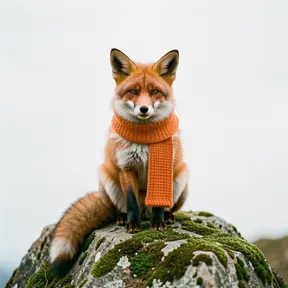
a cute red fox wearing a knitted orange scarf, sitting on a mossy rock, Photo

Photo

a cute red fox wearing a knitted orange scarf, sitting on a mossy rock, Anime

Anime

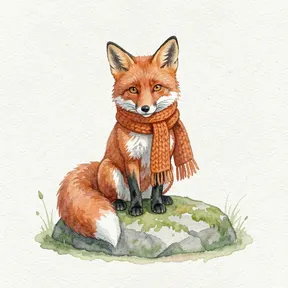
a cute red fox wearing a knitted orange scarf, sitting on a mossy rock, Watercolor

Watercolor

“a cute red fox wearing a knitted orange scarf, sitting on a mossy rock”

How it works

  1. 1

    Describe it

    Write what you want to see in plain words: a subject, a place, the light. The guide shows what helps.

  2. 2

    Pick a look and a model

    Choose one of nine looks, from Photo to Watercolor, and a model. The price in credits is on the button.

  3. 3

    Make it, then refine it

    Get up to four results at once. Edit one with another sentence, upscale it to 4K or remove its background.

Models you can use

Every model shows its price in credits before you start.

All models

Prompts to start with

Open one in the web studio, change a word or two, and make it yours.

Image

Rainy ramen alley

“Steaming ramen stall in a narrow rainy Tokyo alley at night, neon signs reflected in puddles, 35mm film photo with grain”
Try this prompt

Image

Product shot

“A glass perfume bottle on wet black stone, soft window light from the left, water droplets, dark moody background, studio product photo”
Try this prompt

Image

Poster with text

“A retro travel poster with the word "ISTANBUL" in bold letters, a ferry on the Bosphorus at sunset, flat colours, 1960s print style”
Try this prompt
Learn to write better promptsThe free Fuz Field Guide covers light, lenses, styles, edits and video, with examples.

Questions

Is the AI image generator free?
Fuz is free to download, and new accounts get free credits for images. After that, credit packs start at $2.99 for 300 credits. An image costs from 2 credits, depending on the model and resolution.
Which model should I use?
Start with FLUX.2 Klein or Seedream 5.0 Flash to test an idea cheaply. Use Nano Banana 2.1 for edits and long prompts, Seedream 5.0 Pro for photoreal pictures, Ideogram 4.5 for text and logos, and Nano Banana Pro for the final high-detail version.
What resolution are the images?
From 1K up to 4K, depending on the model. Nano Banana 2.1 and Nano Banana Pro go up to 4K, and the Upscale tool can enlarge any image to 4K.
Can I use the images commercially?
Where the law allows, you may use what you make for personal and commercial purposes. The Terms of Use have the details.
Can I make images in the browser?
Yes. The web studio at fuzai.studio/studio uses the same account and the same credits as the Android app.