AI photo editor

Say what to change.Keep the rest.

Add your own photo to Fuz and type the change: a new background, golden hour light, a different jacket. The model edits that part and keeps the rest. Upscaling and background removal are one tap away.
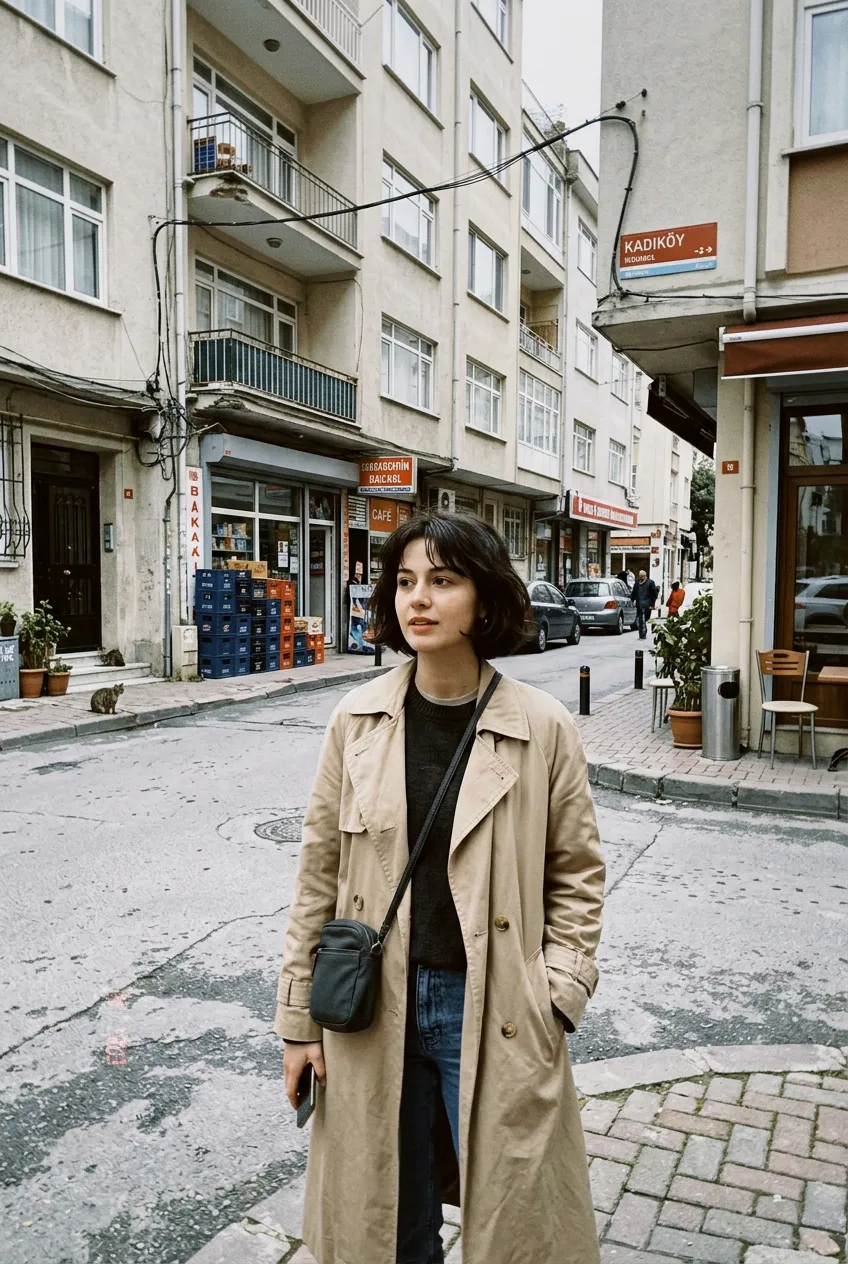
A woman in a trench coat on a street in daylight
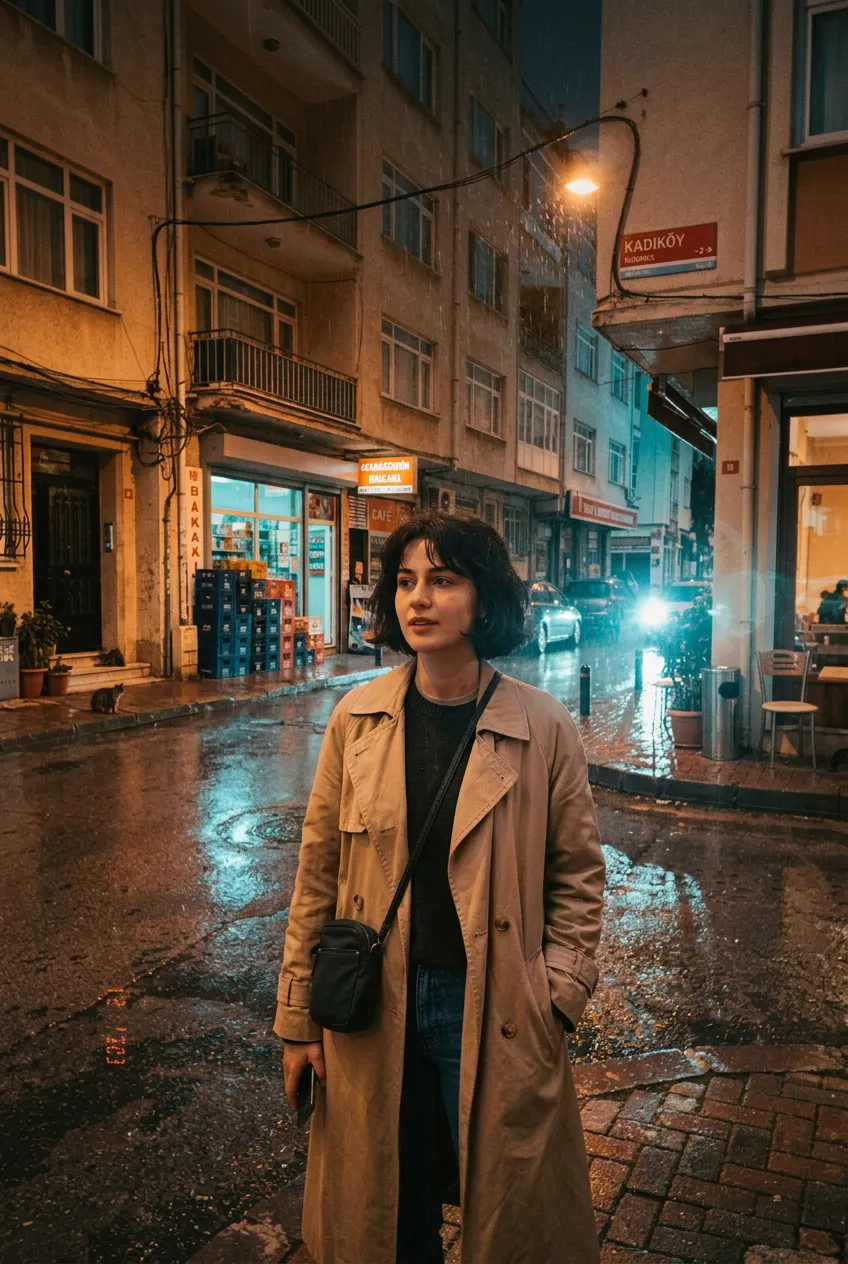
The same street edited into a rainy night with neon reflections

“Make it a rainy night with neon reflections”

How it works

  1. 1

    Add a photo

    Pick one from your gallery, or use an image you made in Fuz.

  2. 2

    Type the change

    One clear change per run works best: “make it golden hour”, “put her in a red coat”.

  3. 3

    Finish it

    Upscale to 4K for print, or cut the subject out as a transparent PNG.

Models you can use

Every model shows its price in credits before you start.

All models

Prompts to start with

Open one in the web studio, change a word or two, and make it yours.

Image

New background

“Keep the person exactly the same and replace the background with a quiet beach at sunset”
Try this prompt

Image

Different light

“Same photo, in warm golden hour light coming from the left, with long soft shadows”
Try this prompt

Image

Change the season

“Turn this street into winter: snow on the ground and the roofs, people in coats, overcast sky”
Try this prompt
Learn to write better promptsThe free Fuz Field Guide covers light, lenses, styles, edits and video, with examples.

Questions

How do I edit a photo with AI?
Add your photo in Fuz, type what should change and press Make. Say what must stay the same too, for example “keep the face and pose the same”. The guide has a full chapter on edits.
How much does an edit cost?
An edit costs the same as an image on the model you pick, from 2 credits. Upscaling to 2K costs 2 credits, to 4K 7, and removing a background 7. The free credits for new accounts work for all of these.
Will the edit change my face?
Models try to keep what you do not mention, but small changes can happen. Say what must stay the same, and use Nano Banana 2.1, which is strong at edits.
Are my photos private?
Yes. Your uploads and creations are private to your account, and you can delete them, or your whole account, at any time.